Product feeds
Your product list in Google Merchant Center and Meta's catalog (Facebook and Instagram), kept up to date on its own.
On this page
A product feed is a list of all your live products behind a private link. Google Merchant Center and Meta’s Commerce Manager read that link on a schedule, so when prices, stock or pictures change, they change there too. Nothing has to be uploaded by hand.
Where the two links are
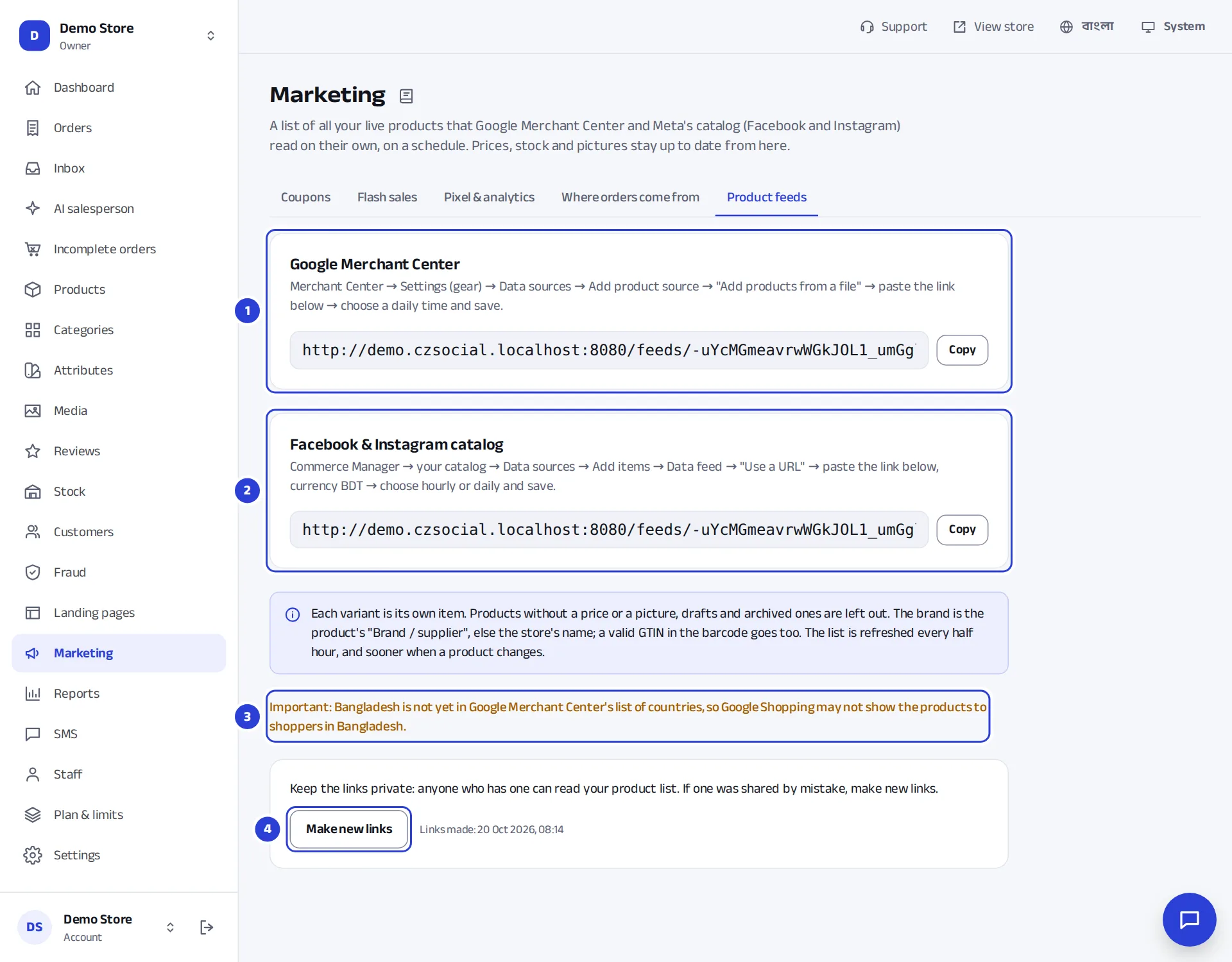
Open Marketing and go to the Product feeds tab (or below Settings › SEO & AI search). There are two links, each with a Copy button:
- Google Merchant Center 1: for Google
- Facebook & Instagram catalog 2: for Meta
Both links are on the store’s main address (your own domain, when you have one). Seeing them needs the marketing permission.
Add it to Google Merchant Center
- Open Merchant Center → Settings (gear) → Data sources → Add product source.
- Choose “Add products from a file” and paste the Google Merchant Center link.
- Choose a daily time for the fetch and save.
Watch out
Bangladesh is not yet in Google Merchant Center’s list of countries 3, so Google Shopping may not show the products to shoppers in Bangladesh. The feed is ready for when Google adds Bangladesh, or for selling to other countries.
Add it to the Facebook and Instagram catalog
- Open Commerce Manager → your catalog → Data sources → Add items → Data feed.
- Choose “Use a URL” and paste the Facebook & Instagram catalog link. Currency: BDT.
- Choose hourly or daily and save.
What the list holds
- Each variant is its own item; the variants of one product are grouped. Name, description, link, pictures (up to 11), whether it is in stock, price and category.
- Prices are in taka. When a “compare at” price is set, that is the regular price and the selling price is the sale price; a running flash sale’s price goes with its start and end.
- The brand is the product’s Brand / supplier, else the store’s name. A valid GTIN (EAN/UPC) in a variant’s barcode goes too.
- When delivery costs the same everywhere (every zone the same charge, nothing extra per kg), Google’s feed carries that charge; otherwise set delivery charges in Merchant Center’s shipping settings.
- Left out: drafts and archived products, archived variants, variants without a price and products without a picture.
The list is refreshed every half hour, and sooner when a product changes.
Keep the links private
Anyone with a link can read your product list. If one was shared by mistake, press Make new links 4: both old links stop working at once; then put the new links in Merchant Center and Commerce Manager.