Redirects
When a product's, category's or page's link changes, the old link leads to the new one by itself. You can add redirects for an old website's links too.
On this page
A product’s link is out there in Facebook posts, ads and messages, and now you change the product’s link (its slug). Someone opening the old link does not see “not found”: the store sends them on to the new link. This is a redirect (a 301). Google and the other search engines read it the same way: the page has moved, and the old link’s ranking goes to the new one.
What happens by itself
When the link of one of these changes, a redirect from the old link to the new one is made by itself:
- a product (
/p/…), if it was ever live - a category (
/c/…) - a store page (
/pages/…), if it was published - a published landing page (
/lp/…)
When the same item’s link changes several times, every old link goes straight to the latest one, never through the others. When a product or page takes an old link again, that redirect is removed by itself, and the link opens the new product or page.
See the list
- Open Settings › SEO & AI search and, in the Redirects card below, press See redirects.
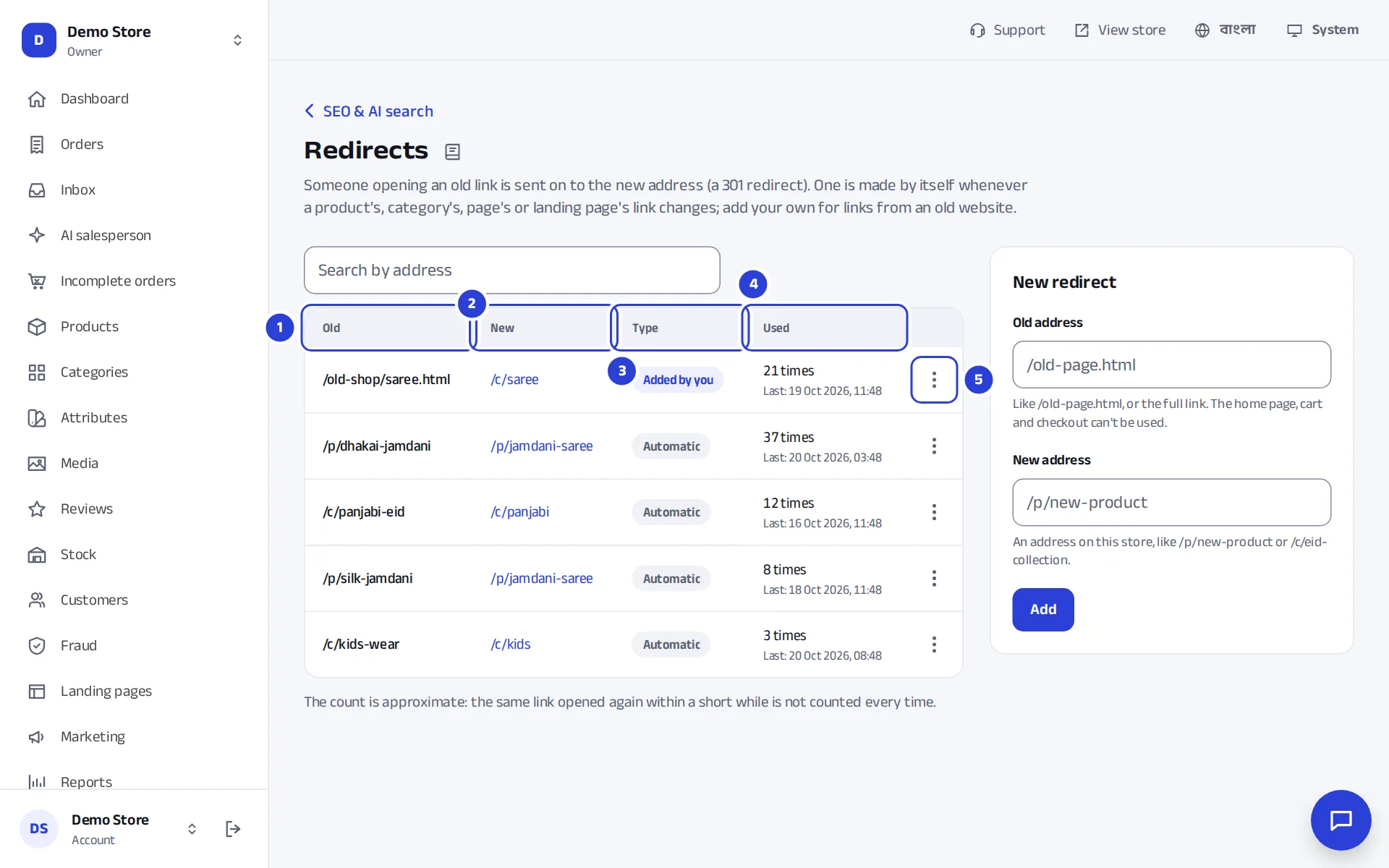
- Each redirect shows its Old 1 and New 2 address, its Type 3 (Automatic or Added by you) and how often it was Used 4.
- When one is no longer needed, Delete it from the menu at the end of its row 5. The old link shows “not found” after that.
Good to know
The count is approximate. When the same link is opened again within a short while, the store answers from its earlier answer to stay fast, and that is not counted every time.
Add a redirect yourself
Did your shop live on another website before, and people still have links to it? To send those to the new store’s pages:
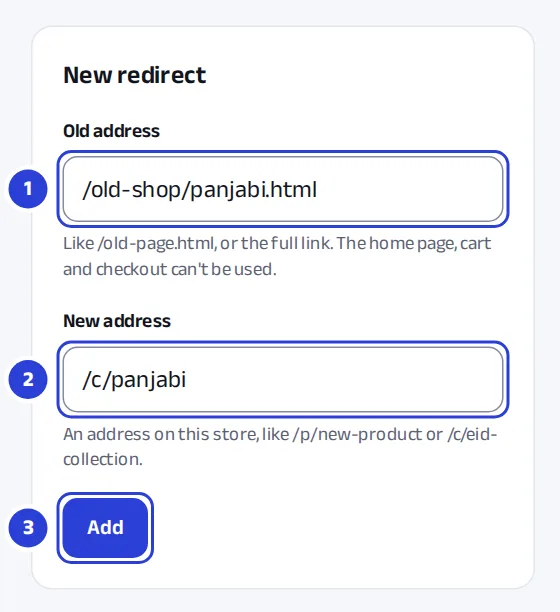
- On the Redirects page, under New redirect, enter the Old address 1, like
/old-page.html. A full link works too; only its path is kept. - Enter the New address 2: an address on this store, like
/p/new-productor/c/eid-collection. - Press Add 3.
The home page, cart, checkout, account pages or the address of a product or page that is live now can’t be an old address. A store can keep up to 2,000 redirects added by hand.
Telling search engines (IndexNow)
When a product, category, page or landing page goes live, changes or is deleted, the store tells Bing, Yandex, Seznam, Naver and the other IndexNow search engines by itself within a minute, so they read the page again sooner. There is nothing for you to do. This happens for the store’s main address only (your own domain, when you have one).
Google does not take IndexNow. Google finds new and changed pages from your store’s sitemap (SEO & AI search).