Incomplete orders report
Where shoppers stop, how many came back, how much those orders were worth and what the recovery SMS cost, on one page.

On this page
The report shows how many orders you really win back from incomplete orders, and whether the recovery SMS pay for themselves.
Open the report
- Open Incomplete orders in the left menu.
- Press Report at the top.
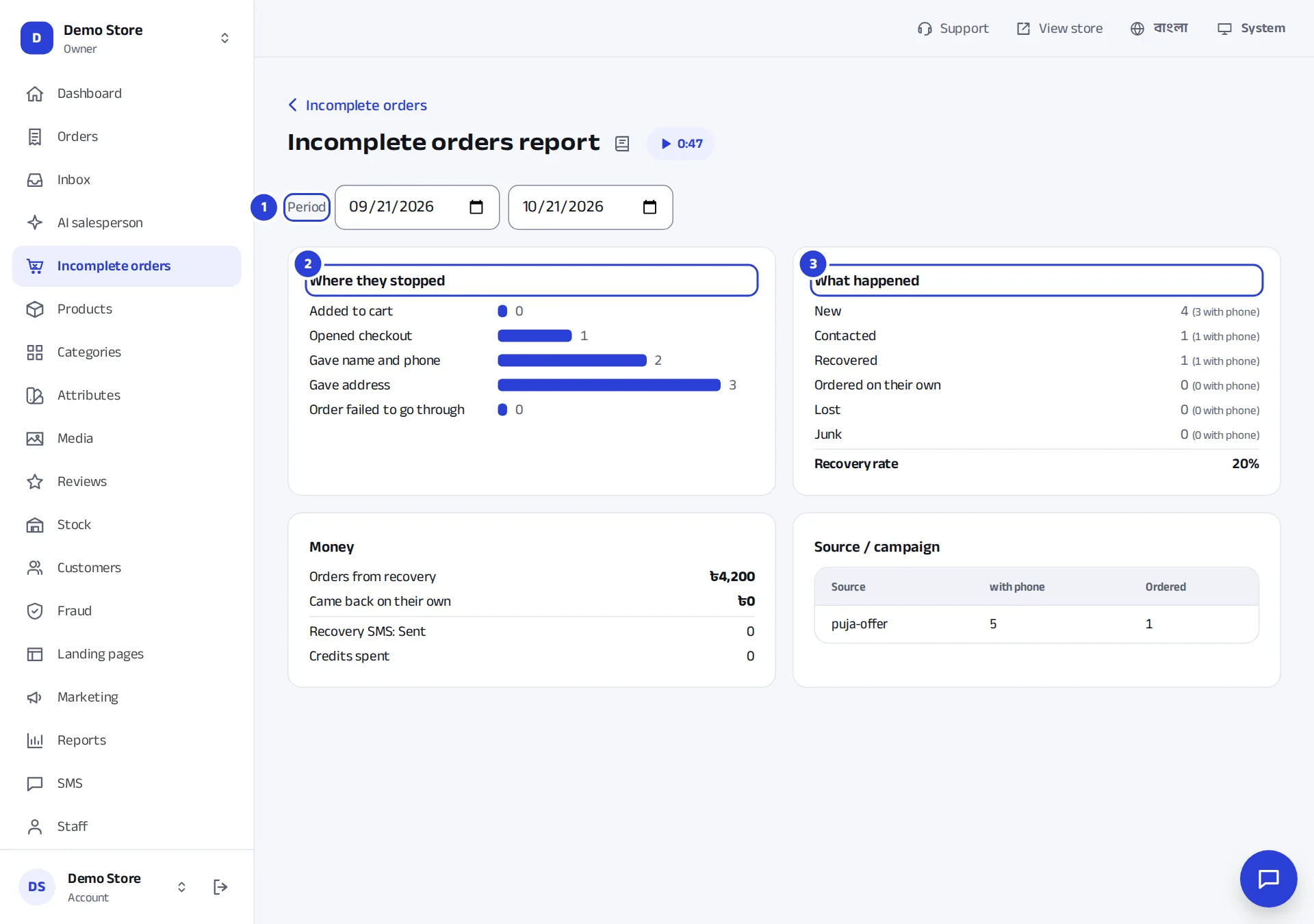
- Set the Period 1 start and end dates. It starts at the last 30 days. Dates are Bangladesh time, and each incomplete order counts on the day it first came in. Checkouts from blocked shoppers (the ones marked Stopped) are left out, since they aren’t lost sales, and so is one whose order is waiting past your month’s order limit.
Where they stopped
The Where they stopped 2 card shows how many stopped at each step, as bars and numbers: Added to cart, Opened checkout, Gave name and phone, Gave address, Order failed to go through. Both phone and cart-only ones count here.
Tip
Many Order failed to go through means something blocks the checkout, such as a missing delivery zone or a payment rule. Open one and read the reason in red.
What happened
The What happened 3 card counts each status, with how many of them are with phone in brackets: New, Contacted, Recovered, Ordered on their own, Lost, Junk. What the statuses mean: Incomplete orders.
Recovery rate
At the bottom of the card is the Recovery rate:
Recovery rate = (Recovered + Ordered on their own) ÷ all incomplete orders with a phone × 100
For example, 200 incomplete orders with a phone, 30 recovered and 10 that came back on their own make 20%.
Money and recovery SMS
The Money card:
- Orders from recovery: the sales of the Recovered orders (product price after discounts, no delivery charge; from the recovery link or made by you).
- Came back on their own: the sales of orders shoppers placed by themselves later.
- Recovery SMS: Sent, how many recovery SMS went out (ones that were not sent don’t count).
- Credits spent: the SMS credits they used.
Put Orders from recovery next to Credits spent and you see whether the SMS earn their cost.
Source / campaign
The Source / campaign table shows where incomplete orders with a phone came from (top 20 rows):
- Source: the link’s
utm_campaignwhen it had one, otherwise where they stopped:storefront(the store) orlanding_page. - with phone: how many came in.
- Ordered: how many of them ordered later (recovered or on their own).
This shows which ad loses the most people halfway. How to tag links: Where orders come from.
See also: Automatic recovery SMS